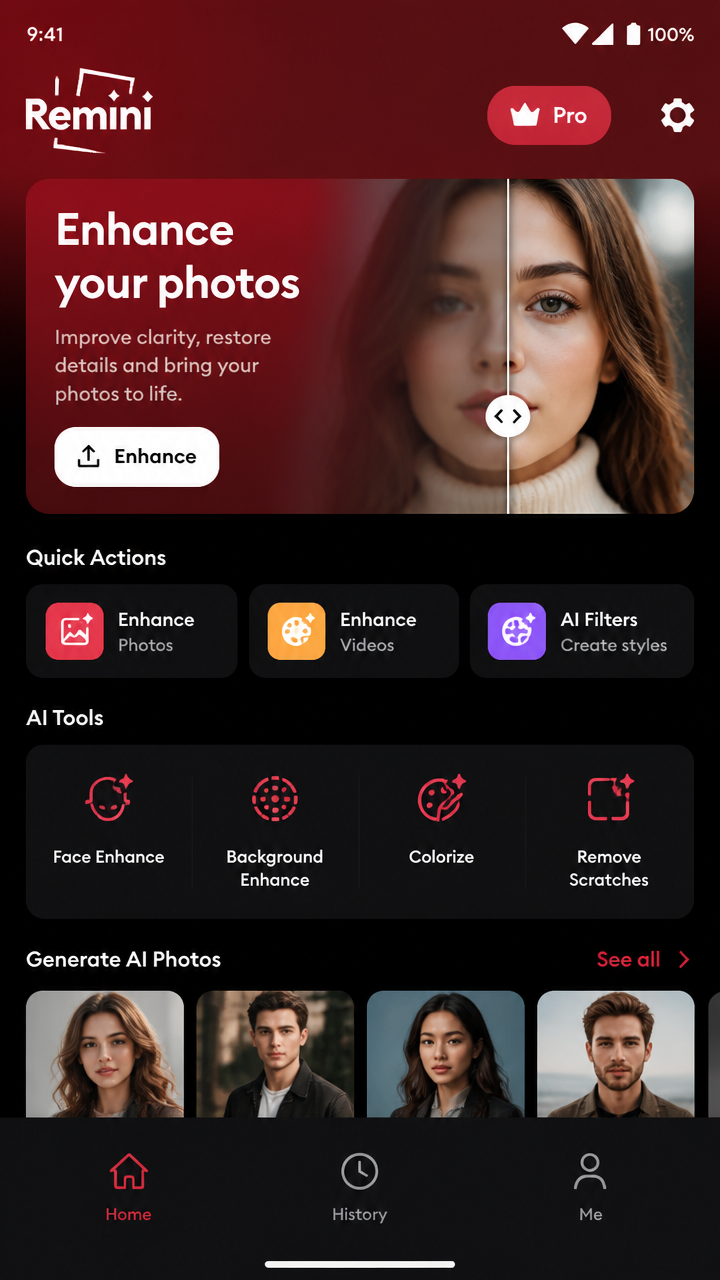
Remini: Download Remini Mod APK Terbaru - Tips & Tricks (APKGuides)
Learn practical tips to get better results with Remini, optimize downloads safely, and troubleshoot common issues when using a "Mod APK" version. (Play responsibly.)

Quick Note (Read First)
APKGuides focuses on tips and troubleshooting. Using a Mod APK may carry risks (malware, account bans, or missing features). Always check source reliability, scan the file, and avoid entering sensitive information.
1) Prepare Your Device for Better Results
- Update Android: Ensure your phone is up to date for camera/graphics compatibility.
- Free storage: Leave at least 1-2 GB free so Remini can process images without failing.
- Stable internet: Enhancement can require network access depending on the mode.
- Restart before heavy processing: If you notice slowdowns, reboot once to clear background memory.
2) Choose the Right Mode for the Best Enhancement
- Photo enhancement: Use for portraits, old photos, and low-light shots.
- Video enhancement: If available, start with short clips - long videos may take longer and can cause overheating.
- Try multiple attempts: Sometimes a second run with the same settings yields better detail.
3) Upload Tips: How to Get Sharper Faces
- Crop first: Remove unnecessary background so the AI focuses on the subject.
- Center the face: Face detection works best when the face is not too small in the frame.
- Increase contrast: If the original is extremely washed out, boosting contrast slightly before enhancement can help.
- Use higher-quality originals: Even if the app "enhances," starting from a clearer image typically produces better results.
4) Performance Tips (Faster Processing, Fewer Errors)
- Use Wi‑Fi for larger uploads (especially video) to reduce interruptions.
- Lower multitasking: Close other heavy apps to prevent memory pressure.
- Process during cooler temps: If your phone gets hot, pause and let it cool - AI processing can slow down or crash.
5) Troubleshooting: Common Issues After Download
A) App won't install
- Enable Install unknown apps for your installer.
- Make sure you downloaded the correct architecture (if the installer supports it).
- Remove older versions if installation fails repeatedly.
B) Crash on launch
- Clear app cache/data (Settings → Apps → Remini → Storage).
- Reinstall the app and avoid restoring corrupted app data.
- Check if your phone has enough free RAM/storage.
C) Enhancement stuck at loading
- Switch between Wi‑Fi and mobile data.
- Restart the app and try with a smaller image/shorter clip.
- Verify permissions (Storage/Photos and Network).
D) Permissions problems
- Go to Android Settings → Apps → Remini → Permissions.
- Grant Photos/Media and Storage access.
- If using Android 13+, ensure the media access mode is allowed.
6) Account & Login Tips (If the Mod Behaves Differently)
- If login fails, try using the same method you used previously (email/Google/Apple if supported).
- Avoid frequent login attempts - repeated failures can trigger security locks.
- For best stability, test with one feature first (e.g., single photo enhancement) before doing bulk processing.
7) Output Quality Checklist
- Check skin smoothing: If faces look too "plastic," try a lighter enhancement approach (or re-run).
- Watch artifacts: Over-sharpening can create halos around edges - crop tighter and reprocess.
- Compare before/after: Always verify details like hairlines, glasses, and text.
8) Where to Download (APKGuides)
Use the official APKGuides section for Remini: Download Remini Mod APK Terbaru and follow the on-page steps. (Play URL: #download-remini)
FAQ
Is Remini Mod APK terbaru safe?
Safety depends on the uploader. Scan the APK with a reputable antivirus and verify the source before installing.
Why does the enhanced result look worse than the original?
Common causes: low original resolution, face too small, heavy blur, or over-processing. Crop, improve contrast slightly, and try again.
How can I speed up processing?
Use Wi‑Fi, close background apps, ensure enough storage, and process shorter clips or smaller images first.
More guides
View allA practical beginner-to-advanced guide to Last Zombie - covering shooting tactics, resource management, aiming tips, loadout choices, and survival habits to help you progress faster.
Level up your heists with practical strategies for Robbery Bob. Learn how to plan routes, manage timing, exploit gadgets, avoid detection, and improve your success rate - plus safe, legal guidance when using Mod APK versions.
A practical, info-only guide for Resso 2022: learn safe usage habits, improve playback and discovery, and optimize your experience with settings, libraries, and playlists - without relying on shady shortcuts.
Level up faster in Tanghulu Master - use smart ingredient planning, perfect timing for the syrup, efficient workstation habits, and better scoring strategies for smoother ASMR gameplay.