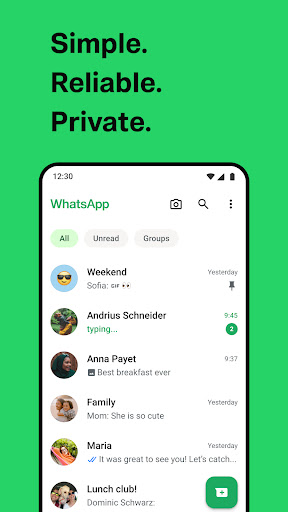
WhatsApp Messenger (com.whatsapp) for Android -Beginner Guide
Learn the basics of installing, setting up, and using WhatsApp Messenger safely on Android.

WhatsApp Messenger (com.whatsapp) by WhatsApp LLC is a popular messaging app for Android. If you're new, this beginner guide will help you get started step-by-step - from installation to first chats.
1) Install & open WhatsApp safely
- Download WhatsApp from the official Google Play page first: play.google.com.
- Check the app name (WhatsApp Messenger) and the developer (WhatsApp LLC) before installing.
- After installation, open the app and allow only the permissions you understand (like contacts if you want quick friend discovery).
2) Verify your phone number
- Enter your phone number with the correct country code.
- Wait for the verification code (SMS or call depending on your region).
- Keep access to your SIM/number - without verification, you can't create your account.
3) Set up your profile in minutes
- Add a name and (optional) profile photo.
- Choose your privacy settings: who can see your profile photo, status, and "about-info.
- Tip: Use a clear profile photo so friends can recognize you faster.
4) Start chatting (1-to-1 and groups)
- To message someone, open Chats and tap New chat.
- For groups, choose New group, add members, then set a group name.
- Use search in chats to find conversations quickly.
5) Stay safe: privacy & security basics
- Enable strong device security (PIN/biometric) so your account is harder to access if your phone is lost.
- Be careful with unknown links and files - verify before opening.
- Review notification and privacy options to reduce unwanted exposure.
Next steps
Once you're comfortable with chats, explore features like WhatsApp Status, media sharing, and backup options. Always download from Google Play to stay protected.
More guides
View allA beginner-friendly walkthrough for installing, setting up, and using Shinko SR777 (rs777) on Android - plus safety tips, common troubleshooting, and first-use checklist.
Learn the basics of getting FL Studio on Android, what "mod" usually means, how to stay safe while downloading, and how to start making beats with simple steps - no technical jargon.
A practical beginner-friendly walkthrough for Taxsee Driver by PT. SITO - covering setup, map basics, driver readiness, navigation tips, and safety for your first trips.
Learn what the Loklok Download Mod typically offers, how to download safely, and practical beginner tips to protect your device and account. Includes quick checks, setup steps, and common mistakes to avoid.