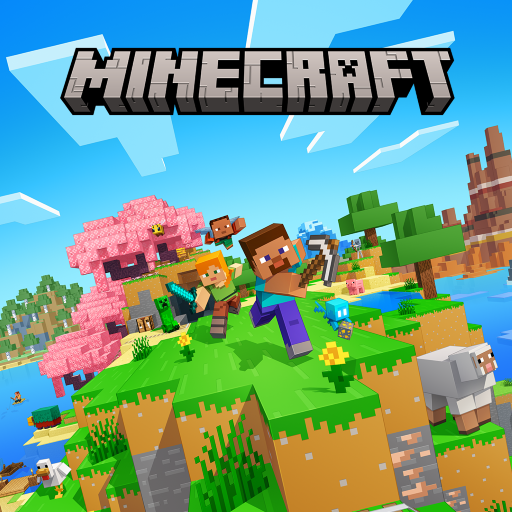
Minecraft: Dream it, Build it!
By Mojang·Free·Games
A sandbox arcade game for Android where you build, craft, and explore an open world - solo or with friends - via Google Play.
- Category
- Games
- Offered by
- Mojang
- Requires Android
- Android 8.0+
- Updated
- 2026-07-14
Screenshots
1 / 12
Versions
- Download1.26.33.12026-07-14
Overview
Overview
Minecraft: Dream it, Build it! is an Android arcade-style sandbox game by Mojang (package: com.mojang.minecraftpe). This Google Play information page summarizes what the game is about, its requirements, and what to expect from gameplay.
In Minecraft, you shape your world block by block - building, crafting, and exploring in a solo or multiplayer experience.
Key features
- Open-world building and crafting sandbox for solo play and multiplayer sessions
- Creative and Survival playstyles for different ways to build and challenge yourself
- Marketplace-style ecosystem for creator-made add-ons, worlds, and cosmetics (via Minecraft Marketplace)
- Online multiplayer options, including private/community servers and Realms Plus cross-play (up to 10 friends)
Who it's for
If you enjoy block-based creativity, exploration, and building with friends, this game is a strong fit - whether you're a casual builder or like survival challenges.
Safety note (APKGuides)
APKGuides provides Android and Google Play information only. For the official app, install from Google Play - avoid downloading "cracked APK-files from unofficial sites.
Install guide
Install Minecraft: Dream it, Build it! from Google Play:
- Open the official Google Play page: https://play.google.com/store/apps/details?id=com.mojang.minecraftpe
- Tap Install and confirm the required permissions.
- Wait for the download to finish, then open the app from your home screen.
- If prompted, sign in to your Google account to continue.
FAQ
+Is this page for an official Android app or a cracked APK host?
This is an Android/Google Play information page on APKGuides. We link to the official Google Play listing and do not host cracked APK files.
+What Android version does Minecraft: Dream it, Build it! require?
According to the source facts, it requires Android 8.0 and above.
+What is the current version shown in this info page?
The source facts list version 1.26.33.1.
+Can I play Minecraft solo and with friends?
Yes. The game supports solo play and multiplayer experiences, including cross-play options via Minecraft Bedrock Edition features described on Google Play.
+Who is the developer of this game?
The developer is Mojang.
Similar apps
View all
Free Fire: 9th Anniversary is an Android survival shooter celebrating nine years with themed events, new perk systems, and match review features.

Roblox for Android lets you play a huge variety of online games, customize your avatar, and even create experiences - available via Google Play.
Build your village, lead your Clan in multiplayer wars, and refine real-time strategy in this Android game from Supercell.
Defend your tower and outsmart opponents in fast real-time multiplayer PvP card battles on Android.
Brawl Stars is a fast-paced Android action game from Supercell with multiple PvP modes, brawlers to unlock, and seasonal content.
Genshin Impact is an Android adventure game for exploring Teyvat, using elemental combat, and building teams.

Candy Crush Saga is a King match-3 casual puzzle game for Android where you clear candy puzzles with combos, boosters, and sweet challenges.
Subway Surfers is a fast-paced Android arcade game by SYBO Games where you dash, dodge trains, and run through vibrant city scenes.
Related guides
View allLevel up faster with practical building, survival, and resource tips for Minecraft on Android.
Level up faster with smart base building, efficient upgrades, and attack planning tailored for Android play.
A practical beginner guide for Garden Design Makeover - learn the basics of match-3, how renovations and decor work, and how to plan moves so you can progress faster.
In 2026, players and everyday users pick Notepad, Notes, Easy Notebook - Checklist & Reminders for its fast capture, reliable reminders, and checklist-first workflow. Here's how to use it effectively, why it fits modern routines, and what makes it stand out for 2026 habits.